
Drag and drop treatments into visits
Our interactive treatment plans allow you to easily drag and drop treatments into visits. You'll find the balance and total for each visit conveniently calculated, allowing you to effortlessly keep track.
Core Practice’s clutter-free, modern design makes it easier for you to track your patients’ plans. You’ll find them all in the one place and you can check their progress instantly.
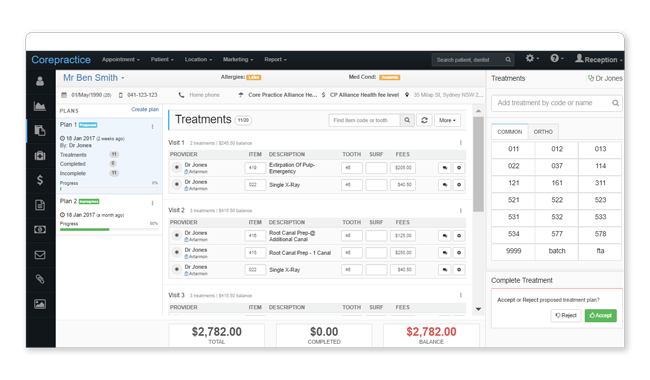
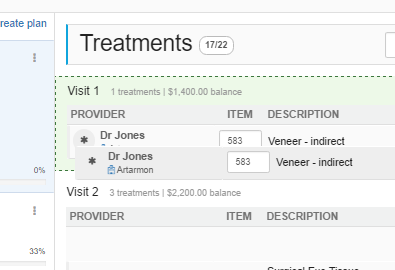
Our interactive treatment plans allow you to easily drag and drop treatments into visits. You'll find the balance and total for each visit conveniently calculated, allowing you to effortlessly keep track.
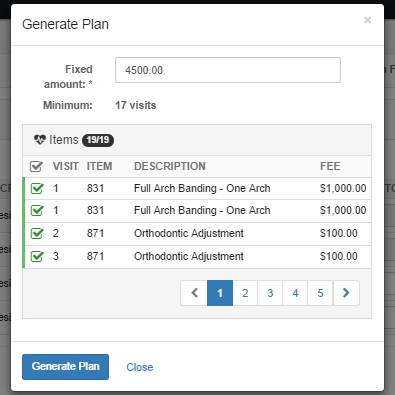
Enter a fixed term or fixed amount and our system will dynamically generate a treatment plan for that particular case.
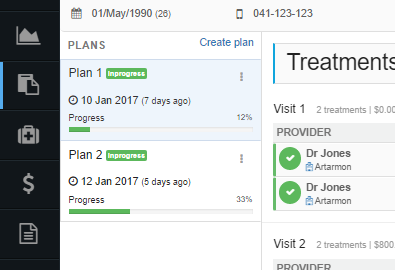
Whether it be multiple treatment options or multiple procedures, Core Practice allows you to easily manage and track treatment plans.
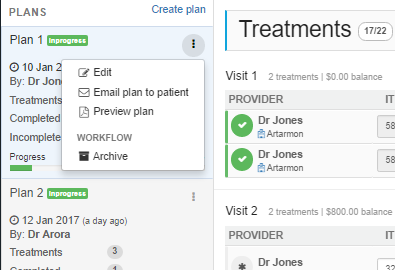
Preview a PDF of the plan for printing, or email it to the patient directly from the software. Make sure you never miss a quote.
You ask. We answer
Quick answers to your important questions
A “practitioner” is a dentist's profile in a location. A dentist can have multiple profiles if they work in multiple locations; they will have one profile per location in which they work. The profiles include all the dentist's business information such as ABN and provider number, as well as their location information, such as MYOB/Xero accounts and merchant ID.
An “active practitioner” is a dentist which is actively receiving money. You can have many inactive practitioners in Core Practice, but it is only considered “active” once that dentist starts collecting money. This means that you can create a practitioner profile for each of your dentists in each of your locations, but you won't have to pay for the practitioner profiles which are not actively receiving money.
Try our dental software with full features for 30 days