


Benefits of Integrating
Make payments effortless and secure for your customers. Ready to offer more payment options? Stripe and Core Practice work together to provide a smooth, secure online payment process with the flexibility to control your fees and transaction methods.
Faster Online Payments
Make it easy for patients to pay their way. With Stripe, you can accept payments via credit card and digital wallets like Apple Pay and Google Pay to collect deposits and appointment payments online through Core Practice.
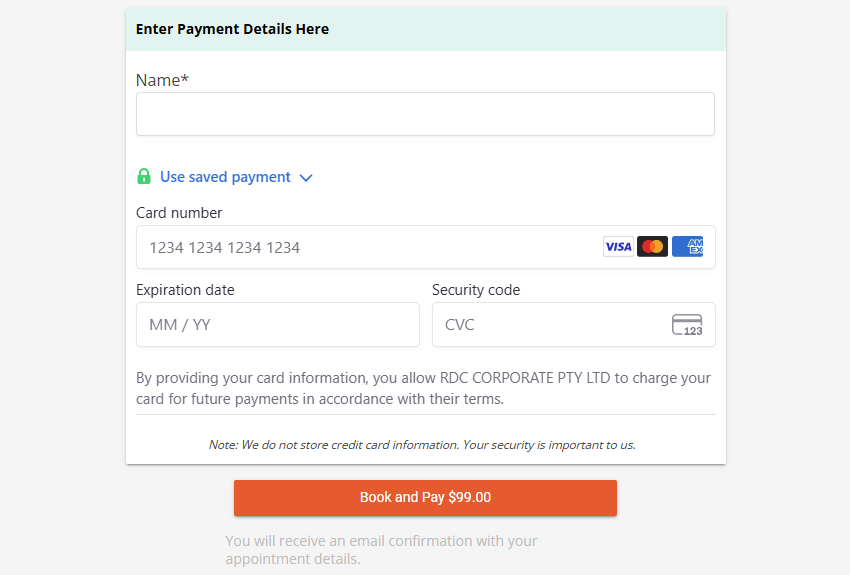
Secure, Compliant, Reliable
Stripe is built with bank-grade security and is PCI-compliant by default. You can offer peace of mind to patients while protecting your business.
- Data encrypted end-to-end.
- Real-time fraud monitoring and alerts.
- Complies with Australian financial standards.

Reduce Fail-to-Attend (FTA) Rates
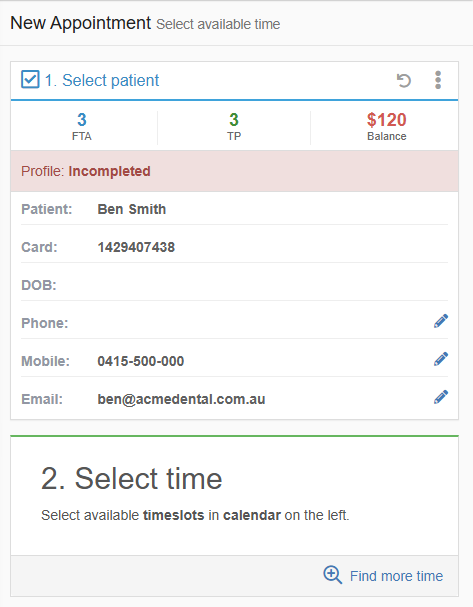
Encourage commitment by requiring a deposit for high-demand or long appointments.
- Minimise last-minute cancellations.
- Set deposit rules by appointment type or service.
- Reduce FTA rates and improve provider time utilisation.
With deposits collected through Stripe, patients are more likely to follow through with dental appointments.
Increase Online Booking Usage
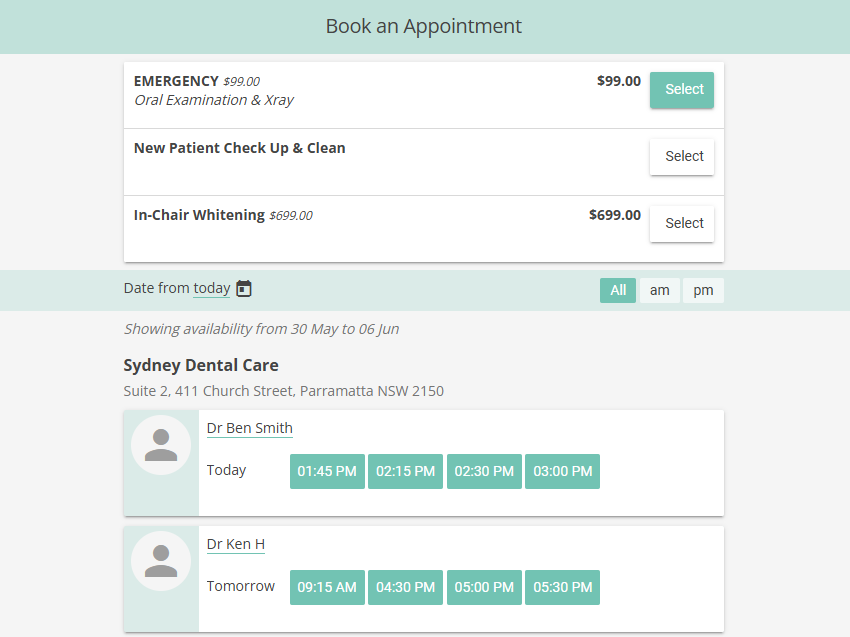
Boost patient adoption of your online booking system by offering more services.
- Enable online booking for premium services like whitening or cosmetic treatments.
- Collect deposits upfront for commitment.
- Let patients pay with their preferred method.
Getting started is easy
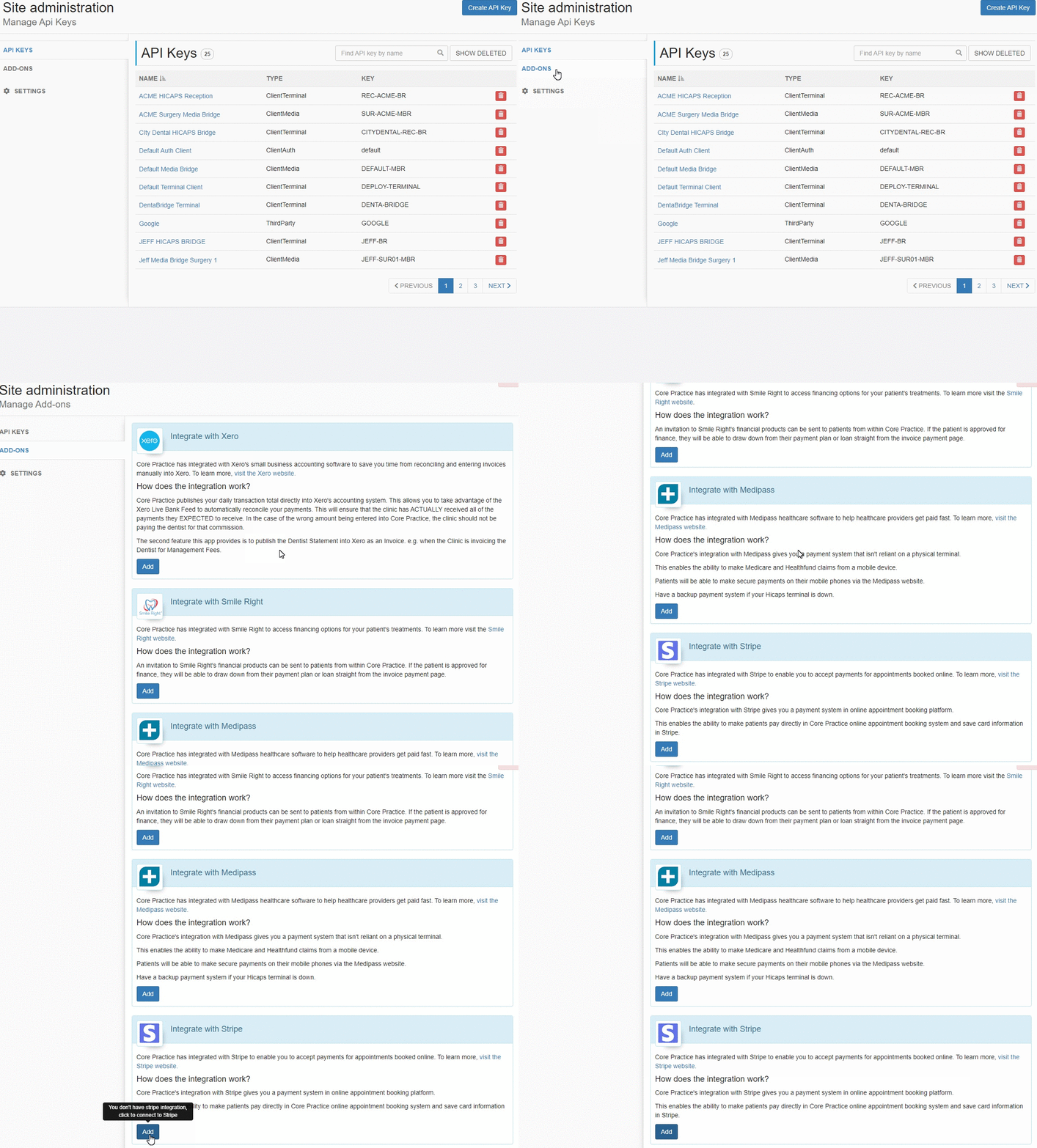
Once installed, activate your Stripe account or sign in if you already have one.
- Follow the prompt to connect or create a Stripe account.
- Stripe will ask for business details and verification steps.
- Once verified, your Stripe account is linked to Core Practice.
For a step-by-step setup guide, visit our Help Centre article: How to activate Stripe.
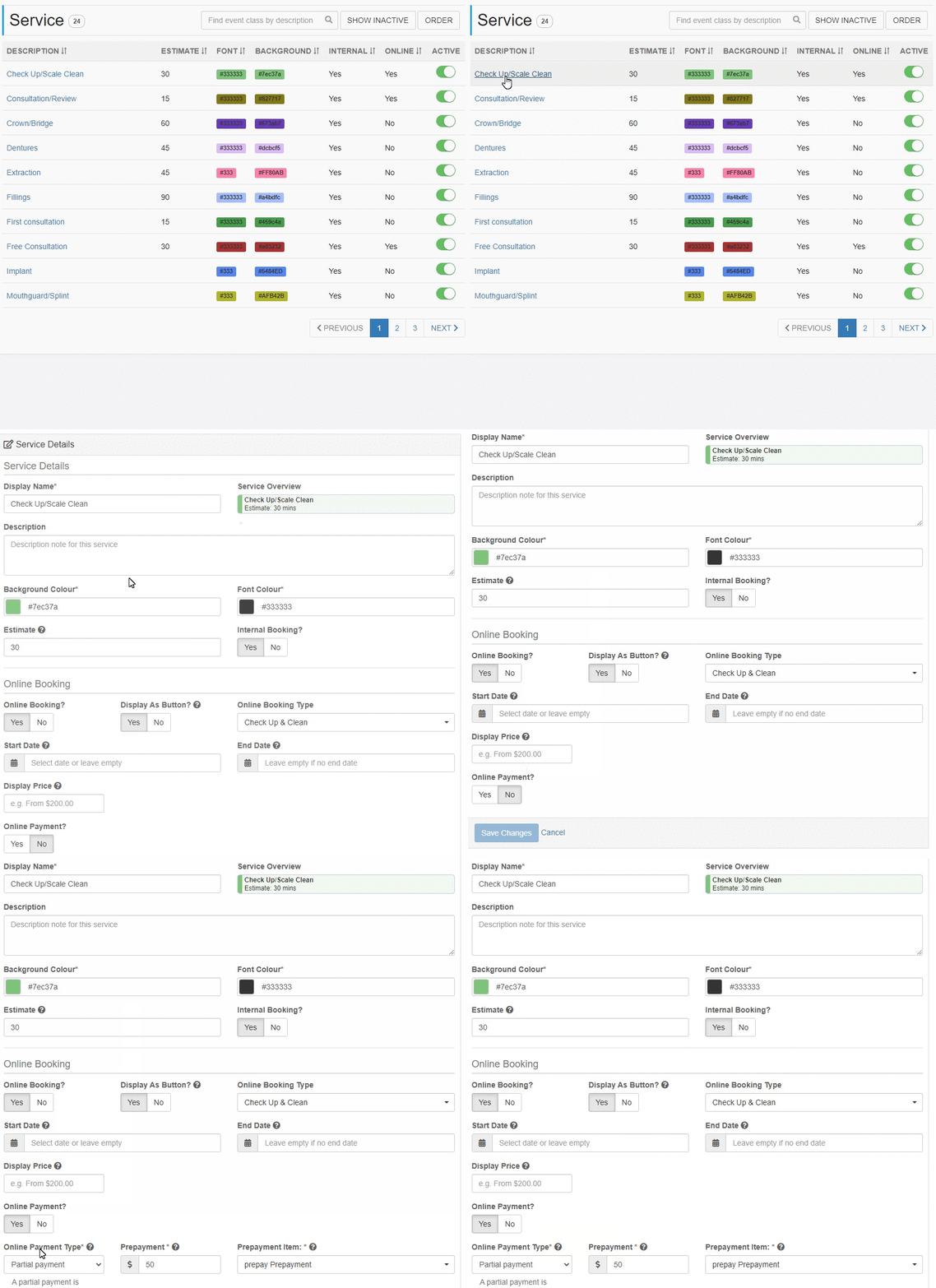
Once you are done with activating Stripe to Core Practice, the next step would be setting up the services. This step is essential because this is where you can manage the different services that you wanted to offer online.
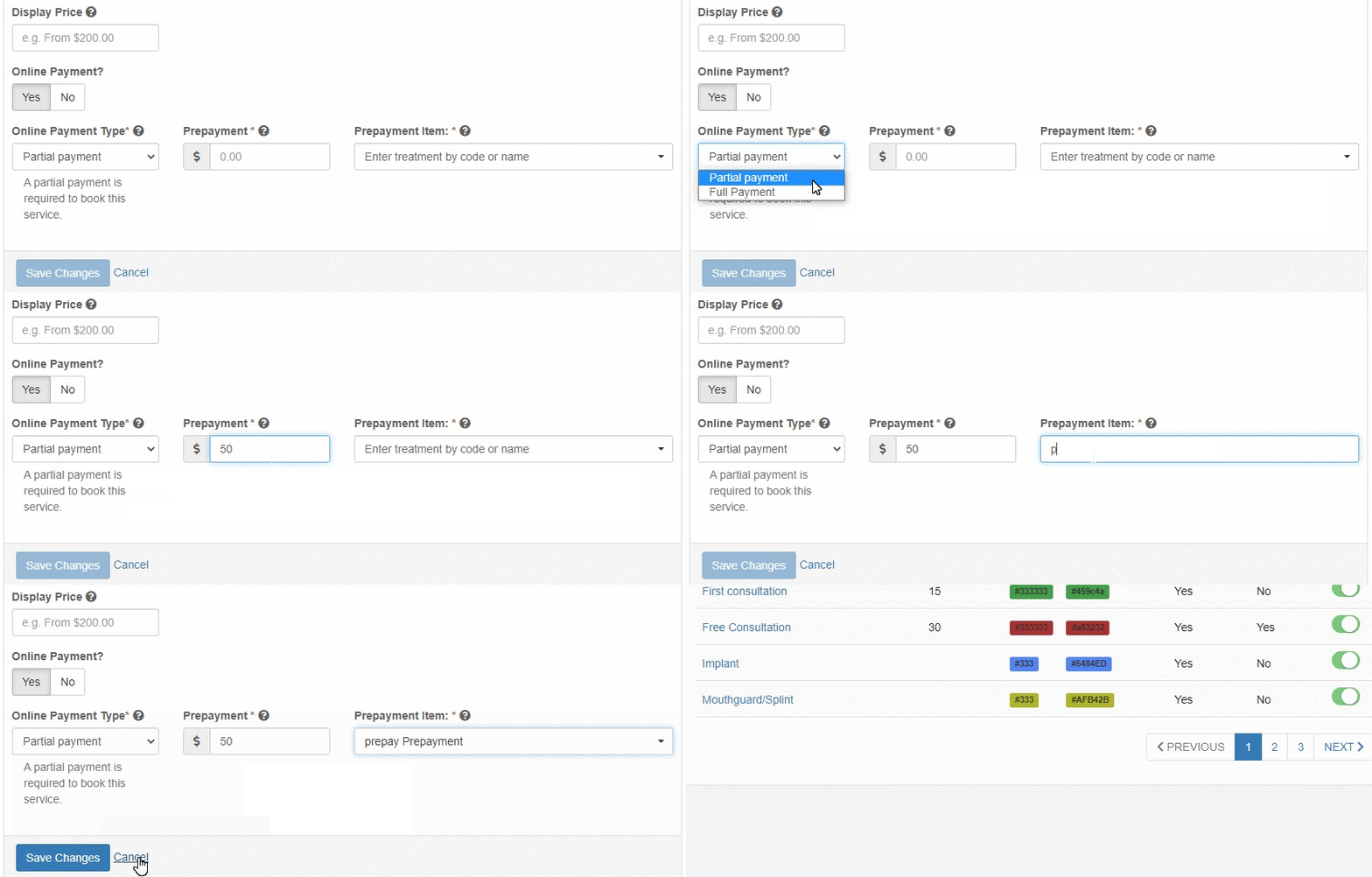
Choose a service and set the Online Payment to "Yes.
Select Partial Payment or Full Payment under the Online Payment Type. Enter the prepayment/deposit amount that you wish to charge the patient with and select a prepayment item. Once all done, hit Save Changes.
Why choose Core Practice
22+
Convenient & Seamless Integrations
17K+
Users on Core Practice
6K+
Trusted practitioners
4.5M+
Patients served
A simpler way to manage your dental practice
Try our dental software with full features for 30 days